Edit GeoJSON visually
Import a GeoJSON file straight onto an interactive map, edit features visually by dragging vertices, change attributes, organise everything into colour-coded layers, and export it back to GeoJSON. Based on your subscription and entirely in your browser.
Import and export .geojson · visual editing · colour-coded layers
Edit GeoJSON on a real map
Hand-editing GeoJSON coordinates in a text file is error-prone. Geisro lets you see and manipulate the geometry on a real map instead.
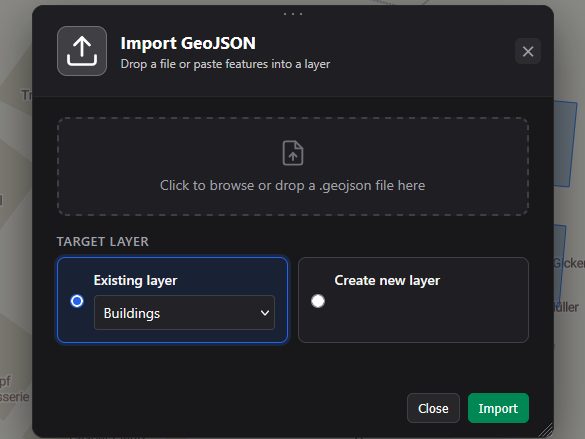
- ImportDrag a
.geojsonfile onto a layer, or paste features in. - EditDrag vertices and markers, draw new points, lines and polygons, and split work across coloured layers.
- AnnotateGive each feature a name and custom attributes, and filter by name, attribute or value.
- SaveYour features are stored in your account, ready to pick up and keep editing any time.
- ExportDownload the active layer, or just the geometries you select, back to a
.geojsonfile.
Frequently asked questions
Which formats can I import?
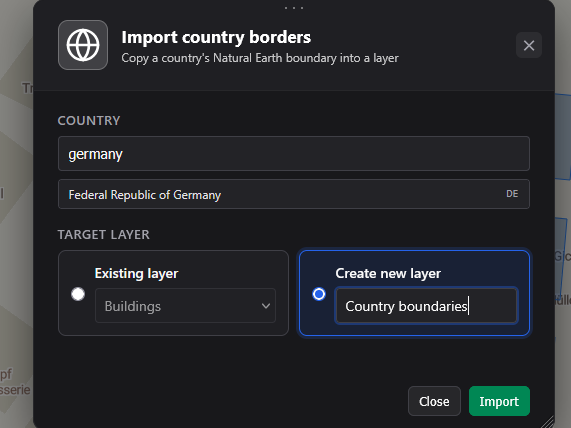
GeoJSON (.geojson / .json). You can also import country borders from built-in Natural Earth data.
Can I export my GeoJSON?
Yes. From the Export menu choose Export layer geometries to download every geometry in the active layer. To export only some geometries, select them on the map and use Export in the selection bar.
Does my GeoJSON leave my browser?
Yes - your geometries are saved to our servers under your Geisro account, so you can come back and keep editing any time. They are protected and visible only to you; if you want to collaborate, you can share a project with your team, otherwise no one else has access.
Is it free?
Drawing and editing features on the map is free. GeoJSON import and export are on the paid Pro, Ultra and Team plans - see pricing.
Open a map and edit your GeoJSON
N 52.5163 E 13.3777 · GEISRO ONLINE MAP EDITOR