
Draw a route
Plan a route on a map
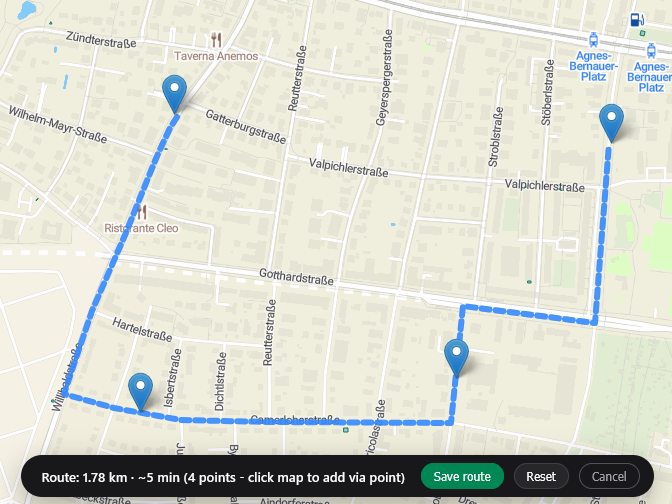
Plan a route through as many points as you need on an interactive map. Geisro follows the road network, shows the total distance, and lets you save the route to a layer in your project. Free and entirely in your browser.
Free to start · sign in with Google or Microsoft · no install
How it works
How to plan a route
- Open the map editorSign in for free with your Google or Microsoft account.
- Start the route toolClick your start point on the map.
- Add more pointsKeep clicking to extend the route; Geisro computes a path along the roads through every point you add.
- Review the distanceThen save the route to a layer, or reset and try again.
- Reuse itThe saved route stays editable alongside your other geometries.
Routes live alongside your other geometries, so you can combine them with polygons, points and imported data in the same project.
FAQ
Frequently asked questions
Does the route follow real roads?
Yes - Geisro routes along the road network between the points you pick, rather than drawing a straight line.
Can I save the route?
Yes. Save it to a layer in your project and come back to edit it any time.
Is it free?
Yes - sign in with Google or Microsoft and start planning routes for free.
Ready when you are
Open a map and plan your route
N 52.5163 E 13.3777 · GEISRO ONLINE MAP EDITOR